Breakout Rooms: What Are They and How to Use Them Effectively with OctaMeet?
As online meetings grow larger, keeping participants genuinely engaged becomes increasingly challenging. The question of what breakout rooms are and how to use them gains critical significance at exactly that point.
Sub-group rooms that divide large sessions into smaller and focused groups can strengthen meeting efficiency across many scenarios, from corporate training to workshops and project sprints.
What Are Breakout Rooms?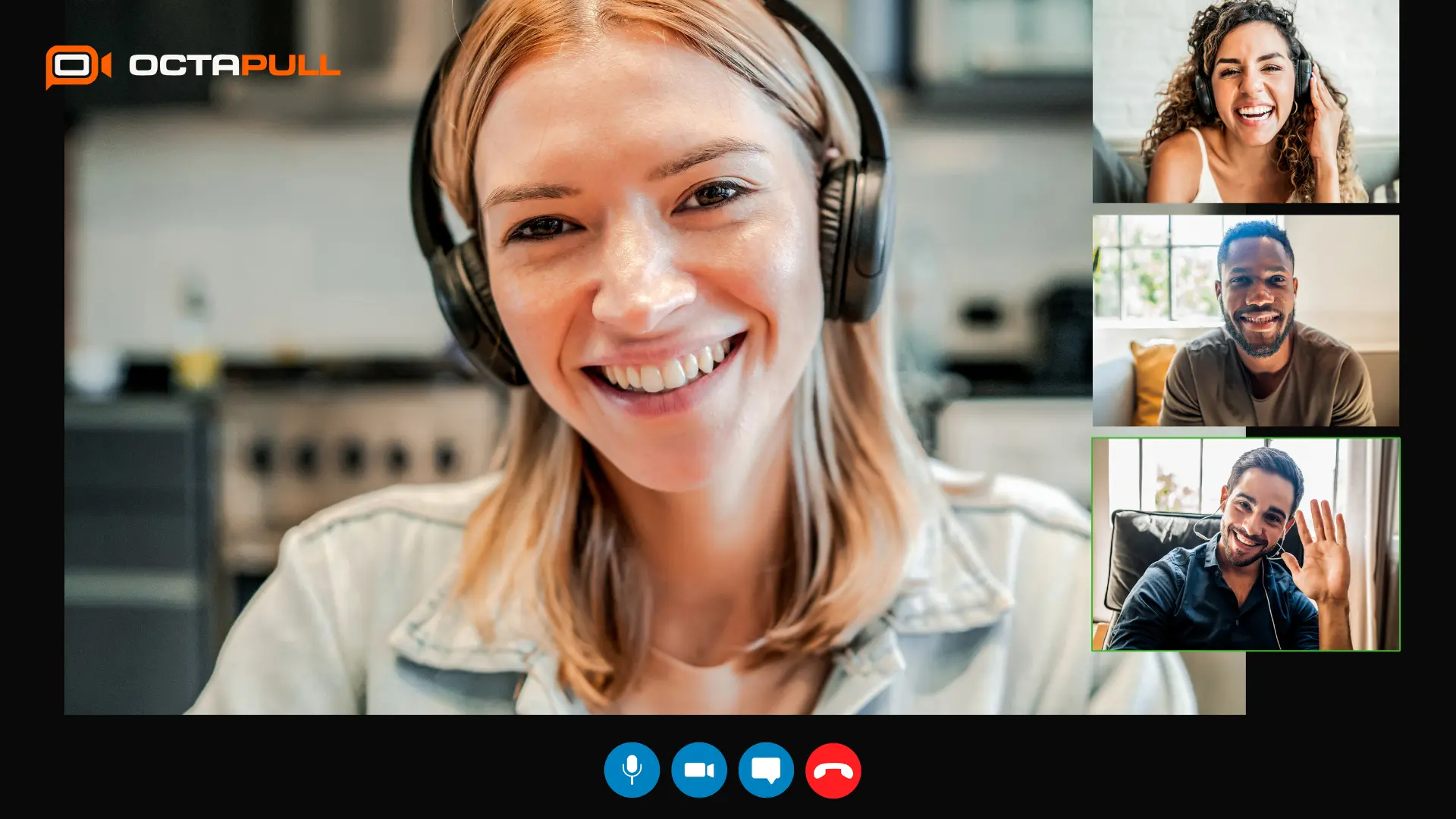
Breakout rooms are a digital meeting feature that divides a large online session into smaller, independent sub-sessions. Participants leave the main meeting, hold private discussions among themselves, and return to the main room once their work is complete.
This structure enables focused group interaction and can produce especially productive outcomes in training, workshop, and corporate meeting scenarios. Moderators retain full visibility and control throughout the entire process.
The Definition of Breakout Rooms
Breakout rooms a feature available on global platforms such as Zoom, Microsoft Teams, and Google Meet, as well as local solutions like OctaMeet, divide participants in the main meeting into smaller groups to create separate workspaces.
The meeting host can monitor every room and bring all groups back to the main session at any time they choose.
What Do Sub-Rooms Do?
Sub-rooms aim to eliminate the passivity and silence that emerge from large-group dynamics. They create a more candid environment where every participant can speak and share ideas, which can strengthen group dynamics considerably. Tools such as microphone and camera controls, screen sharing, and the interactive whiteboard all remain active inside sub-rooms.
Why Are Breakout Rooms Used in Online Meetings?
Having all participants contribute simultaneously is quite difficult in large group meetings, since crowded settings make self-expression harder for many attendees. Compared to a standard large group meeting format, breakout rooms can increase participation rates, deepen conversation quality, and multiply one-on-one interaction opportunities.
How Are Breakout Rooms Used?
Breakout rooms usage divides into two core phases: pre-meeting planning and in-session management. Determining room count and assignment method in advance directly affects whether the process runs smoothly. During the session, the moderator can visit each room and send participants a return notification before closing the rooms.
Pre-Meeting Breakout Room Planning
Clarifying the session structure before the meeting begins is critical for a productive sub-room experience. When which topics will be discussed in which room and how long each group will work are defined in advance, the meeting flows without interruption.
A pre-prepared room plan can strengthen group dynamics and minimise time lost to confusion.
How Is the Number of Rooms Determined?
The meeting's purpose and total participant count should be considered when determining room numbers. Having between five and eight participants per room is generally a preferred structure for maintaining an active discussion environment.
As participant count grows, room count can be scaled proportionally. However, too many rooms that exceed moderation capacity can create management difficulties.
How Are Participants Assigned Automatically or Manually?
Most platforms offer two assignment methods: automatic and manual. Automatic assignment lets the system randomly distribute participants into equally sized groups, while manual assignment gives the moderator full control over who goes where.
In mixed-expertise teams or scenarios requiring grouping by specific learning objectives, manual assignment can produce more meaningful results.
How Are Rooms Opened and Managed?
Once rooms are created, the meeting host can open all sessions with a single click. The moderator's ability to visit each room provides important flexibility for giving feedback and guidance throughout the process.
Participants who need help can send a notification to the main room, inviting the moderator to join their sub-session.
How Do Participants Return to the Main Session?
Sub-rooms can be set to close automatically after a set duration, or the moderator can close them manually at any point. Sending participants a countdown notification before the rooms close can give groups enough time to wrap up their work and compile their notes.
All participants are automatically brought together on the main meeting screen once the session ends.
How Is OctaMeet's Breakout Rooms Feature Used?
OctaMeet is a video conferencing platform developed by OCTAPULL and powered by a local server infrastructure. The platform's Breakout Rooms feature provides managers and trainers with a practical working environment for dividing participants into sub-groups and streamlining moderation during live sessions.
End-to-end encryption and GDPR compliance mean it can meet security requirements in training and strategy meetings where sensitive information is shared. Its intuitive interface and browser-based structure keep technical preparation time remarkably short.
Steps to Enable Breakout Rooms in OctaMeet
To use the breakout rooms feature in OctaMeet, the function first needs to be activated from the meeting settings panel. The relevant setting is accessible from the account dashboard, where sub-room support can be enabled; room configuration can then be completed on the meeting creation screen.
Users who log in through a browser can access the same features without downloading any application, keeping the setup process brief.
Room Creation and Participant Assignment Options
When creating breakout rooms in OctaMeet, the desired number of rooms is set and participants are assigned to groups either automatically or manually. Individual assignments can be updated even during the meeting if needed, which is an advantage in corporate sessions where participant profiles may change at the last minute.
Completing the assignment process quickly through the intuitive interface keeps the meeting flow uninterrupted.
Managing Rooms During the Meeting
While the meeting is active, the moderator can monitor all rooms simultaneously and join any room at any time. Participant activity in each room, including camera status and screen sharing can be tracked from the moderator panel, allowing timely intervention when needed.
Additionally, OctaMeet's AI-powered infrastructure can convert conversations into transcripts throughout the meeting, contributing to documentation of discussions held inside sub-rooms.
Sending Messages to Rooms and Moderation
The meeting host can send a broadcast message to all rooms simultaneously and deliver guidance or time reminders to all participants at once. Sending private messages to a specific room is also possible, making the moderation process more flexible.
The instant messaging feature can also accelerate information sharing without interrupting the meeting flow.
Ending a Breakout Room Session
A breakout rooms session can be ended by the moderator at any time. Sending participants an advance return warning can help maintain the meeting's momentum during the transition back.
All groups are automatically redirected to the main meeting once the session closes. OctaMeet's AI-powered meeting summary feature can then automatically compile action items and decisions from across all the sub-room discussions.
Using Breakout Rooms in Online Training
One of the greatest challenges in online training is converting passive attendance into active learning. The breakout rooms feature can ease this problem by creating independent spaces where learners can hold discussions and generate ideas among themselves.
Trainers can manage the main session while closely monitoring sub-group progress and stepping in whenever guidance is needed.
Increasing Student Interaction
Students who hesitate to speak up in large online classrooms can express themselves far more comfortably inside small rooms. The small-group atmosphere can bring yüz yüze classroom dynamics into the digital space, increasing student participation rates considerably.
Research indicates that constructivist group activities are more effective at addressing conceptual misconceptions than individual work.
Supporting Peer Learning
Peer learning is a method in which students reinforce concepts by explaining them to one another, and breakout rooms are among the most practical ways to put this approach into practice in online environments. A student struggling with a concept may grasp it faster through a peer's explanation than through direct instruction.
The trainer can periodically join rooms to observe whether discussions are progressing in the right direction.
Group Activities and Mini-Discussions
The trainer can create rooms by directing participants to discuss a specific question or collaborate on a short project. Adding a time limit to groups assigned mini-discussion tasks can sharpen focus and support productive work habits.
Having each group deliver a brief presentation to the main session at the end also strengthens knowledge sharing across all participants.
Strengthening Participation in Virtual Classrooms
Sustaining engagement in a virtual classroom becomes considerably harder during extended one-way lectures. Periodic sub-room sessions can help students refocus their attention and shift into an active role at just the right moment.
When the trainer closes each room round with a short review in the main session, the knowledge reinforcement process is strengthened further.
Breakout Rooms Tips for Trainers
Having trainers communicate a clear task definition and time allocation to each group before opening the rooms can prevent participants from being uncertain about what to do. Keeping room count proportional to participant count and forming groups of five to eight people can maximise interaction.
Visiting each room at least once as a moderator stands out as a valuable practice for guiding groups and improving overall training quality.
How Are Breakout Rooms Used in Workshops?
Online workshop environments, with their requirement for active thinking and problem-solving, align naturally with the breakout rooms feature. Dividing participants into sub-groups at certain stages of a large workshop can help discussions advance in a deeper and more focused direction.
Each group then returns to the main session to share findings, creating a shared learning platform for all participants.
Brainstorming Sessions
Breakout rooms offer a highly suitable structure for the creative brainstorming phase of a workshop. Participants in small groups can voice ideas more freely and build on each other's suggestions to generate original solutions.
When the moderator brings all group ideas together in the main session, the compiled content can readily be turned into action.
Group-Based Problem-Solving Activities
When different groups in a workshop are each tasked with approaching the same problem from a different perspective, multi-dimensional solution maps can emerge. Each group analyses the problem within specific constraints or resources and then presents its solution in the main session.
The comparative presentation format can accelerate decision-making and deepen learning within groups.
Division by Department or Team
In large corporate workshops, dividing participants by department or team allows each group to focus on challenges specific to its own area of work. Department-based room assignment enables different teams to work independently and then share their findings with all participants.
This structure can yield functional results especially in multi-department strategy sessions and annual planning workshops.
Group Presentations After the Workshop
Giving groups the opportunity to deliver a brief presentation to the main session after each breakout rooms round can increase the perceived value of the work and boost participant motivation considerably. When the presentation format is established in advance, for example, a three-minute talk and one slide — groups work more focused and produce more tangible outcomes.
The moderator can analyse all group presentations and close the workshop with a general evaluation and action plan.
Strategies to Increase Workshop Productivity
Keeping breakout rooms session lengths proportional to the complexity of the topic stands out as a critical strategy for maximising productivity. A multi-round sub-room structure, running small-group sessions more than once during a single workshop is a format that can both sustain dynamism and support layered knowledge building.
Platforms like OctaMeet, where meeting-end summaries and action lists are generated automatically, can make workshop management easier and tracking more systematic.
Tips for Effective Breakout Room Management
Getting value from breakout rooms sessions goes beyond technical setup; the moderator's preparation and management approach directly shape the quality of the process. Pre-room planning and a clear task definition can help participants understand exactly what to do inside each room.
Time management and effective moderation can contribute to the meeting reaching its desired outcomes.
Pre-Room Preparation and Clear Task Definition
Having the moderator communicate a clear and measurable task definition to each group before every sub-room session starts can strengthen the meeting flow. A clear task definition allows participants to understand which question to discuss or which output to produce inside the room.
When the task is left vague, groups cannot structure their time and the discussion can remain superficial.
Planning the Right Participant Distribution
Participant distribution should be shaped according to the workshop's purpose and the team's composition. Mixed-group formation can bring different perspectives together and help discussions deepen; homogeneous groups, on the other hand, may be preferred when focusing on a specific area of expertise.
Both approaches should be selected with the meeting's purpose in mind.
Time Management and Setting Duration Limits
Setting a time limit for sub-room sessions can create a focusing pressure for groups and prevent discussions from drifting off-topic. Short sessions can preserve agenda coherence, while longer ones may be preferred for topics requiring in-depth analysis.
A reminder notification sent a few minutes before time runs out can give groups the chance to wrap up their work.
Effective Moderation Techniques
Giving equal attention to all rooms helps the moderator detect potential issues early before they escalate. Visiting rooms and observing is a valuable technique for understanding the direction of discussion, not only for solving problems.
When the moderator shares observations with the main session at the end of the meeting, a common context can be established across the entire team.
Ways to Increase Participant Interaction
One effective way to increase interaction during breakout rooms sessions is to assign each group a designated spokesperson and note-taker. Role distribution can prevent the group from remaining passive and strengthen the sense of responsibility, encouraging broader participation in discussion.
Having the moderator periodically send questions to rooms also keeps groups active and engaged.
Collecting Outputs When Returning to the Main Session
When sub-room sessions close, having each group deliver a brief summary can ensure all participants are informed of what other groups worked on. The output collection phase can be considered one of the most critical parts of the main session; when this step is skipped, the effort invested in discussions becomes invisible.
OctaMeet's automatic summary feature can deliver a structured output encompassing discussions from all sub-rooms.
What Are the Advantages of Using Breakout Rooms?
Breakout rooms can offer a practical solution to passive participation, one of the most common problems in large online meetings. Small-group dynamics can offer structures that improve interaction quality in both learning processes and corporate meetings.
Compared to a standard video conferencing format, breakout rooms-enabled video conferencing can make it easier for participants to actively engage with the process.
Increases Participant Interaction
Participants who hesitate to speak in large meetings can express themselves far more comfortably in small rooms. Interaction rates can rise noticeably in small-group environments; this increase can be observed especially in remote training and online workshop settings.
Sub-rooms can serve as an effective tool for moving passive attendees into an active thinking mode.
Offers a Deeper Discussion Environment
In crowded meetings, discussions often remain surface-level; when everyone is trying to speak, no one gets to engage with the topic deeply. Focused discussion environments that sub-rooms can provide may create the conditions for examining a specific question or problem in greater detail.
In-depth discussions can lay the groundwork for more concrete outcomes and decisions.
Strengthens Collaboration
Having participants work together in small groups toward a shared goal can support team trust and a culture of collaboration. The team bond can grow within a structure that resembles, though is distinct from, the informal interaction of in-person environments.
For remote teams in particular, regular sub-room sessions can reinforce collaborative habits over time.
Makes Large Meetings More Manageable
Managing a meeting of thirty or forty people in a standard video conferencing format can pose a significant challenge for moderators. A breakout rooms-enabled structure divides the meeting into manageable units, allowing the moderator to give individual attention to each group.
This format can improve meeting quality while also balancing the moderator's workload.
Supports Training and Workshop Efficiency
Research demonstrates that active learning methods are more effective at consolidating knowledge than passive listening. Sub-rooms offering group work and peer learning opportunities can be considered a tool that may increase learning effectiveness in online training settings.
The same logic applies in workshop processes; sessions in which participants produce their own solutions tend to leave more lasting impressions.
Disadvantages and Potential Challenges of Using Breakout Rooms
Like any powerful tool, breakout rooms may fall short of delivering expected results when used without care. Insufficient moderation and technical issues are among the most frequently encountered difficulties with this structure.
Identifying potential obstacles in advance and taking precautionary measures can help maintain meeting quality throughout the session.
Management and Moderation Difficulty
Managing multiple rooms simultaneously can be a demanding process for inexperienced moderators. Moderation load can increase particularly when a large number of rooms are open, and failing to give adequate attention to each group may negatively affect discussion quality.
Assigning multiple moderators or co-hosts can help balance this load effectively.
Participants Remaining Passive
In rooms lacking a clear task definition, some participants may be uncertain about what to do and fail to use their time productively. The risk of passive participation is present even in small rooms; unstructured processes can produce the same problem at any group size.
Simple structural measures like role assignment and time limits can reduce this risk considerably.
Technical Issues
Technical problems may occasionally arise when participants are assigned to rooms or when connecting to sub-rooms. Connection interruptions can disrupt the meeting flow, especially in environments with weak internet infrastructure.
Sending participants a brief technical checklist before the session can strengthen overall preparedness.
Time Management Problems
Rooms may reach their purpose much sooner or later than planned, which can affect the main session's flow. Adding flexible time buffers gives participants a brief moment to breathe between sessions, making transitions smoother.
The moderator's ability to revise session timing even mid-session can provide a critical management advantage.
How Can OctaMeet Help Reduce These Challenges?
OctaMeet offers a structure that can reduce management and moderation difficulties through an intuitive interface designed for both moderators and participants. Mass messaging to all rooms and the moderator's ability to easily switch between rooms can lighten the technical management load.
The automatic meeting summary and action items feature can compile scattered post-session information and help prevent knowledge loss.
How Many Participants Do Breakout Rooms Support, and Is There a Time Limit?
Breakout room capacity and time limits vary depending on the platform used; consulting the platform's current documentation is the most accurate approach for precise figures. When participant count and room configuration are planned to suit the meeting's purpose, technical limits rarely create practical constraints.
With flexible planning, most scenarios can be managed productively within existing capacity.
How Should Participant Count Be Planned?
The complexity of the topic and the desired depth of discussion should be considered when determining the number of participants per room. Small groups can generally produce higher interaction rates; a room size where every participant can speak supports active engagement.
Depending on meeting goals, group sizes could be kept between five and ten people, or expanded as needed.
What Should Determine the Number of Rooms?
Room count should be shaped not only by total participant numbers but also by moderation capacity and the structural complexity of the meeting. When the number of rooms per moderator is too high, adequate attention cannot be given to each group.
Assigning co-moderators can help maintain management quality while increasing room count.
How Should Time Limits Be Used for Breakout Rooms?
A time limit can be considered a structural tool that helps groups stay focused. Selecting a duration that matches the scope of the task can balance the group's pace, preventing both too-slow and too-rapid progress.
For short sessions, ten to twenty minutes may serve as a practical starting range; for more complex problems, up to thirty minutes could be appropriate.
How Should OctaMeet's Technical Capacity Be Checked?
OctaMeet's current technical capacity and breakout rooms limits can be learned directly from the platform's official support documentation or through a free demo session with the product team. Clarifying capacity details in advance can put meeting planning on a more solid foundation. OCTAPULL's support channels are available to help obtain up-to-date information as needed.
Discover OctaMeet's Breakout Rooms feature and bring your meetings into a more focused, interactive structure. Host more engaging meetings with OctaMeet, manage everything from sub-room coordination to automatic meeting summaries within a single platform.
The Breakout Rooms Experience with OctaMeet
OctaMeet, with its local server infrastructure and AI-powered features, can be considered a strong option for enterprise-level breakout rooms management. End-to-end encryption and KVKK compliance can meet security requirements in training and strategy meetings where sensitive data is shared.
Its intuitive interface and browser-based architecture keep technical preparation remarkably short.
More Interactive Online Meetings
OctaMeet goes beyond the standard video conferencing format, offering structural tools that support participant engagement throughout sessions. The Breakout Rooms feature can create a more candid and focused communication environment for participants who find it difficult to engage in main sessions.
This structure can be considered a practical solution for corporate teams aiming to improve meeting quality.
Group Work Support for Training Sessions
OctaMeet's breakout rooms feature provides an infrastructure that can support peer learning and group work scenarios in online training. Trainers using the platform can track sub-room progress while managing the main session and guide groups whenever needed.
The automatic post-meeting summary feature can compile key ideas and action items from the training session and deliver them to all participants.
Efficient Room Management for Workshops
OctaMeet's mass messaging and room-switching capabilities can provide moderators with significant management convenience during multi-round workshops. Groups can be restructured in each round, and participant assignments can be updated to bring different perspectives into the same room.
At the end of the workshop, a meeting summary and task list are generated automatically and can be shared with all teams.
Collaboration-Focused Structure for Corporate Teams
For corporate teams working remotely or in a hybrid model, OctaMeet allows meeting management to be carried out in an integrated flow with the OCTAPULL ecosystem. Integration with solutions such as OctaChat instant messaging and OctaSales allows meeting data to become a natural part of the workflow.
The automatic record-keeping system, which archives corporate memory, supports team coordination and decision traceability.
Discover OctaMeet's Breakout Rooms Feature
Those who want to experience OctaMeet can start a 30-day free trial without providing any credit card information. The individual plan offers unlimited free one-on-one meetings, serving as an accessible starting point for basic needs.
A free demo session with the product team can provide a concrete opportunity to evaluate the value that breakout rooms and AI features can bring to your organisation.
Frequently Asked Questions
1. What Are Breakout Rooms?
Breakout rooms are a feature that divides a large online meeting into smaller, independent sessions. Participants leave the main meeting and conduct focused discussions among themselves. All participants automatically return to the main meeting once the sub-room session ends.
2. How Are Breakout Rooms Used?
The meeting host creates a set number of rooms and assigns participants to groups either automatically or manually. Defining a clear task and time limit for each room can support productive room usage. The moderator can monitor all rooms and visit them to guide groups as needed.
3. How Are Breakout Rooms Used in OctaMeet?
Breakout rooms can be enabled from the account settings in OctaMeet, and sub-rooms can be created during a live meeting. Participants can be assigned automatically or manually, and the moderator can switch between rooms to manage the process. OctaMeet's AI summary at the end of the meeting can deliver a structured output covering discussions from all sub-rooms.
4. How Many Participants Do Breakout Rooms Support?
The number of supported participants varies by platform and plan; consulting the platform's current documentation is recommended for precise figures. For an effective discussion environment, a group size of five to ten participants per room is generally preferable. For large meetings, increasing room count and assigning co-moderators can create a well-balanced management structure.
5. Is There a Time Limit for Breakout Rooms?
A time limit can be set individually for each session by the moderator, or kept completely flexible. When automatic close time is enabled, a reminder notification can be sent to participants before the session ends. Setting a duration appropriate to the task's scope can improve focus and help preserve the meeting's flow.
6. What Should Be Considered for Effective Breakout Room Management?
Communicating a clear task definition and time limit to each room before the session starts can be considered a fundamental precaution. The moderator's practice of visiting all rooms and sending a countdown notification keeps the process manageable. A main session phase in which each group shares its findings can make the value of the work visible to all participants.